EV Vehicle Sale Return Requisition and Sale Return
Hindi Video Tutorial -EV Vehicle Sale Return Requisition and Sale Return
EV Sale Return Requisition & EV Sale Return
OVERVIEW
EV Sale Return Requisition document is used
by the customer to create a request for returning the item. It selects the
model details along with invoice details. Inventory is not reversed until
approval. Used for returning vehicle, battery, spare part, or sales
transaction.
Process Flow - EV Sale Return Requisition
Go to Electric Vehicle module → Vehicles →
Sales → EV Sale Return Requisition.
Catalogue View Page
Click on New option to create requisition.
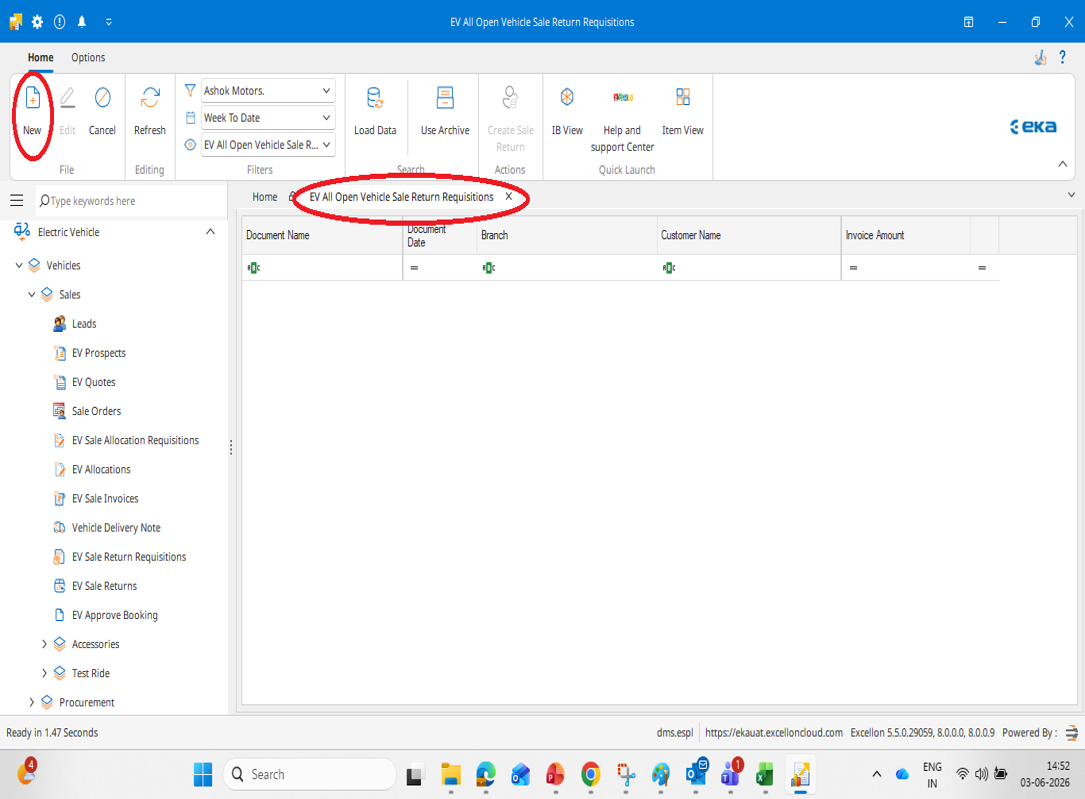
Sale Return Requisition Entry
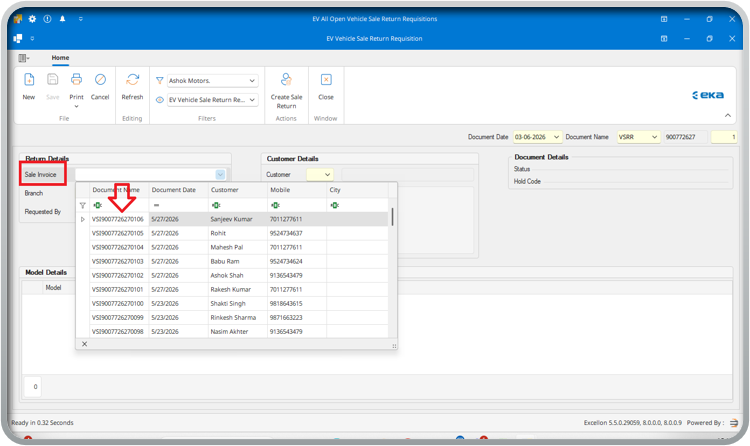
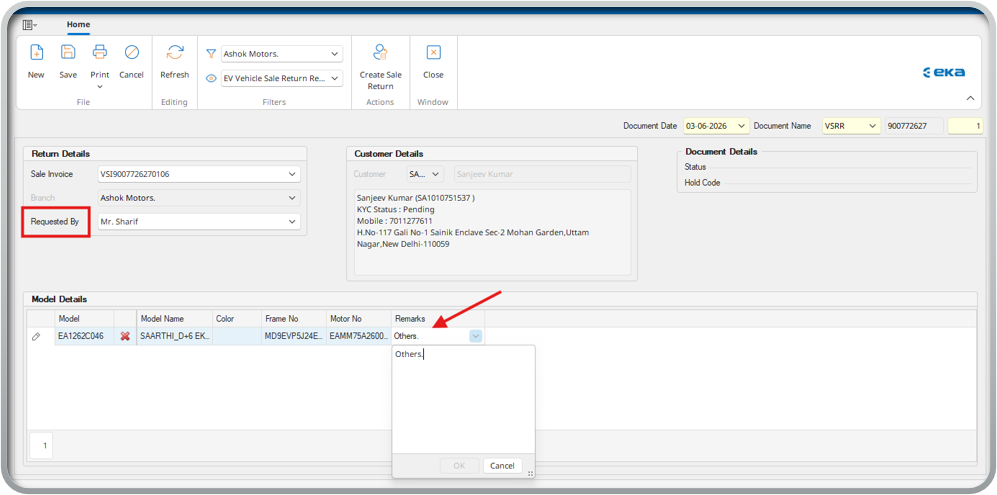
- Select the sale invoice document from the
drop down for which you must create the sale return requisition.
- Once you select the sale invoice, all the details will auto reflect.
- Select the Requested By from the drop down.
Recheck and Save
- Recheck all the details like return
details, customer details and model details
- Click on Save option to save the requisition document.
OVERVIEW - EV Sales Return
EV Sales Return helps user to record items returned by
customer. Sale return can be prepared directly through Sales Invoice document.
Define return parameters by entering the mandatory information like “Customer
Name”, “Account” of the item etc. Based on this sale return, the inventory will
get reversed.
EV Sales Return generally means the process of reversing
a previously completed electric vehicle sale and returning the vehicle back
into dealer inventory.
Process Flow - EV Sale Return
Go to Electric Vehicle module → Vehicles →
Sales → EV Sale Return.
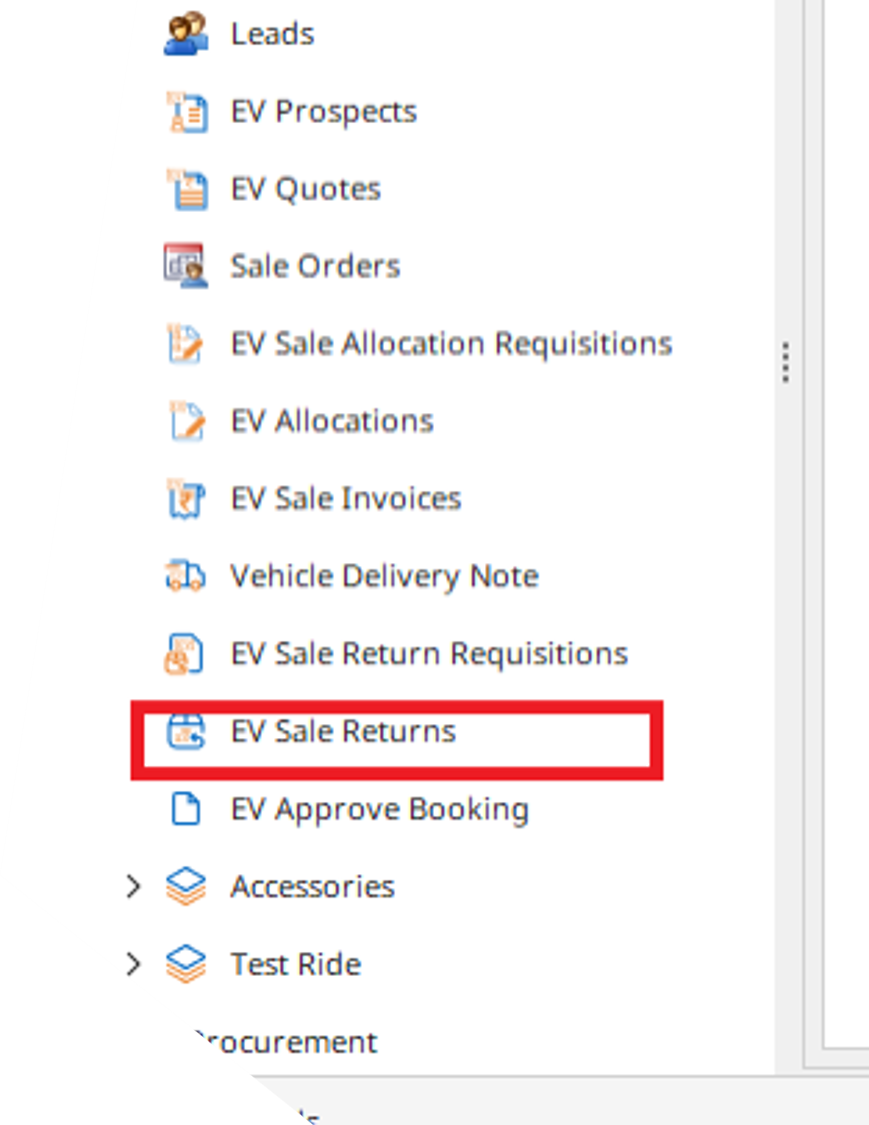
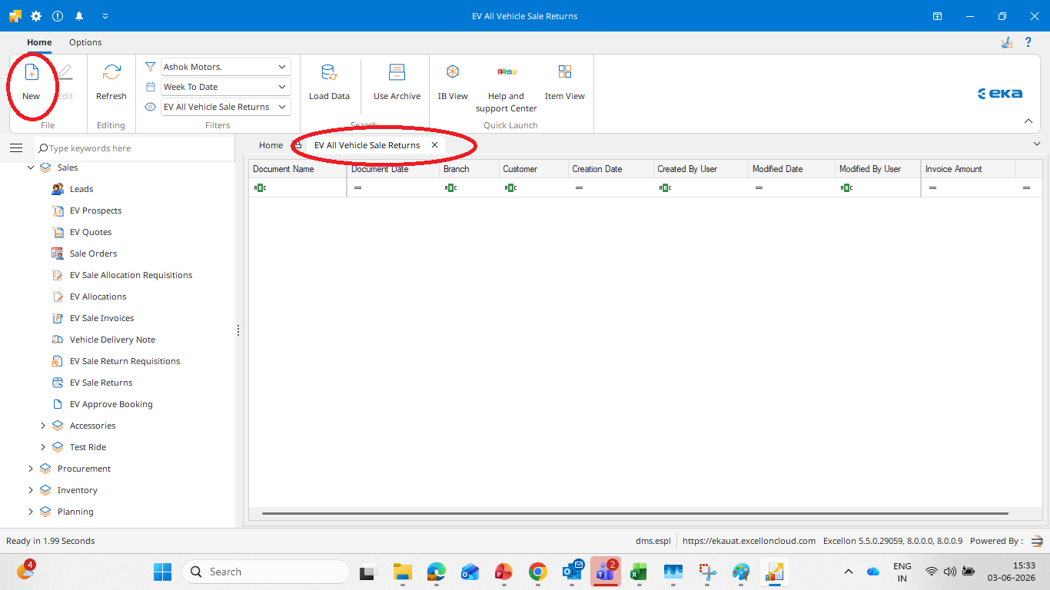
Catalogue View Page
Click New to create sale return.
Sale Return Entry
•Select the return requisition for which
you want to create the sale return. You can also directly select the sale
invoice to create the sale return.
•Once you select the sale invoice/return
requisition, all the details will auto reflect.
•Enter the cancellation reason and remark.
Finalize
Recheck details and save document.
Related Articles
EV Part Sale Allocation Requisition
Hindi Video Tutorial - EV Part Sale Allocation Requisition English Video Tutorial - EV Part Sale Allocation Requisition EV Part Sale Allocation Requisition [No separate extractable text detected inside image] OVERVIEW The EV Part Sale Allocation ...How to Create EV Part Sale Return Requisition & EV Part Sale Return
Hindi Video Tutorial - How to Create EV Sale Return Requisition & EV Sale Return In EKA How to Create EV Sale Return Requisition & EV Sale Return In EKA EV Sale Return Requisition - Overview EV Sale Return Requisition is used by the customer to ...EV Accessory Allocation
new incogneto HINDI VIDEO TUTORIAL:-EV Accessory Allocation play video EV-Accessory-Allocation OBJECTIVE / PURPOSE Purpose of this SOP: To provide a clear, step-by-step guide for creating EV-Accessory-Allocation in the Excellon What is an EV ...EV Sales Invoices
HINDI VIDEO TUTORIAL:- EV Sales Invoices <br><br> EV Sales Invoices OBJECTIVE / PURPOSE This SOP provides step-by-step instructions for creating EV Sales Invoices in the Excellon application It ensures a ...EV Vehicle Purchase Requisition
HINDI VIDEO TUTORIAL :- EV Vehicle Purchase Requisition EV Purchase Requisition OBJECTIVE / PURPOSE Purpose of this SOP: To understand the process of creating the EV Purchase Requisition. EV Purchase Requisition is used to place a purchase request to ...